
Deployment
Development builds the website; deployment makes it live.
Deployment is the moment a website stops being a private project on a local computer and becomes a real, public, permanently-accessible destination on the internet — the practical bridge between "development" and "the website is live."
Beginner Explanation
Domain, revisited from Chapter 1, is the address visitors will actually type or search for — chosen, registered, and paid for through a domain registrar, ideally well before launch so DNS changes have time to fully take effect. Hosting, also from Chapter 1, is where the finished website’s files actually live and run. Platforms like Vercel are optimized for React-based frameworks with minimal configuration; Netlify is a strong, developer-friendly choice for static sites and includes useful built-in features like form handling; Cloudflare Pages is increasingly competitive on both performance and cost; and Hostinger and traditional cPanel-based hosting remain common, affordable choices for more conventional setups, particularly WordPress.
DNS, introduced in Chapter 1 as the internet’s phone book, is configured during deployment to actually point a domain toward the correct hosting provider — a step that can take anywhere from minutes to, in rare cases, up to 48 hours to fully propagate around the world. SSL certificates are what enable HTTPS (Chapter 15); virtually all modern hosts now issue and automatically renew free SSL certificates as a standard part of deployment.
GitHub is a platform for version control — tracking every change made to a website’s code over time, enabling collaboration between multiple developers, and, critically for deployment, often connecting directly to hosting platforms so that pushing updated code automatically triggers a new, live deployment. An expert has a repeatable, well-understood deployment process: connecting a GitHub repository to a hosting platform for automatic deployments, correctly configuring DNS in advance of a planned launch date, and confirming SSL and every core function (Chapter 16’s testing checklist) all work correctly in the live, production environment — not just locally, where conditions are rarely identical to the real internet.
Real Business Examples
Push to GitHub, site updates automatically
A developer pushes an updated price on a package page to GitHub, and Cloudflare Pages automatically rebuilds and redeploys the live site within about a minute — no manual upload required.
DNS propagation on launch day
A new domain is pointed at its hosting provider a few days before a planned launch, giving DNS changes time to fully propagate worldwide before the business starts advertising the new address.
Free, automatic SSL
The moment a site is deployed on a modern host, HTTPS is already active — no separate purchase, no manual certificate renewal to remember.
Visual Diagram
From code to live website
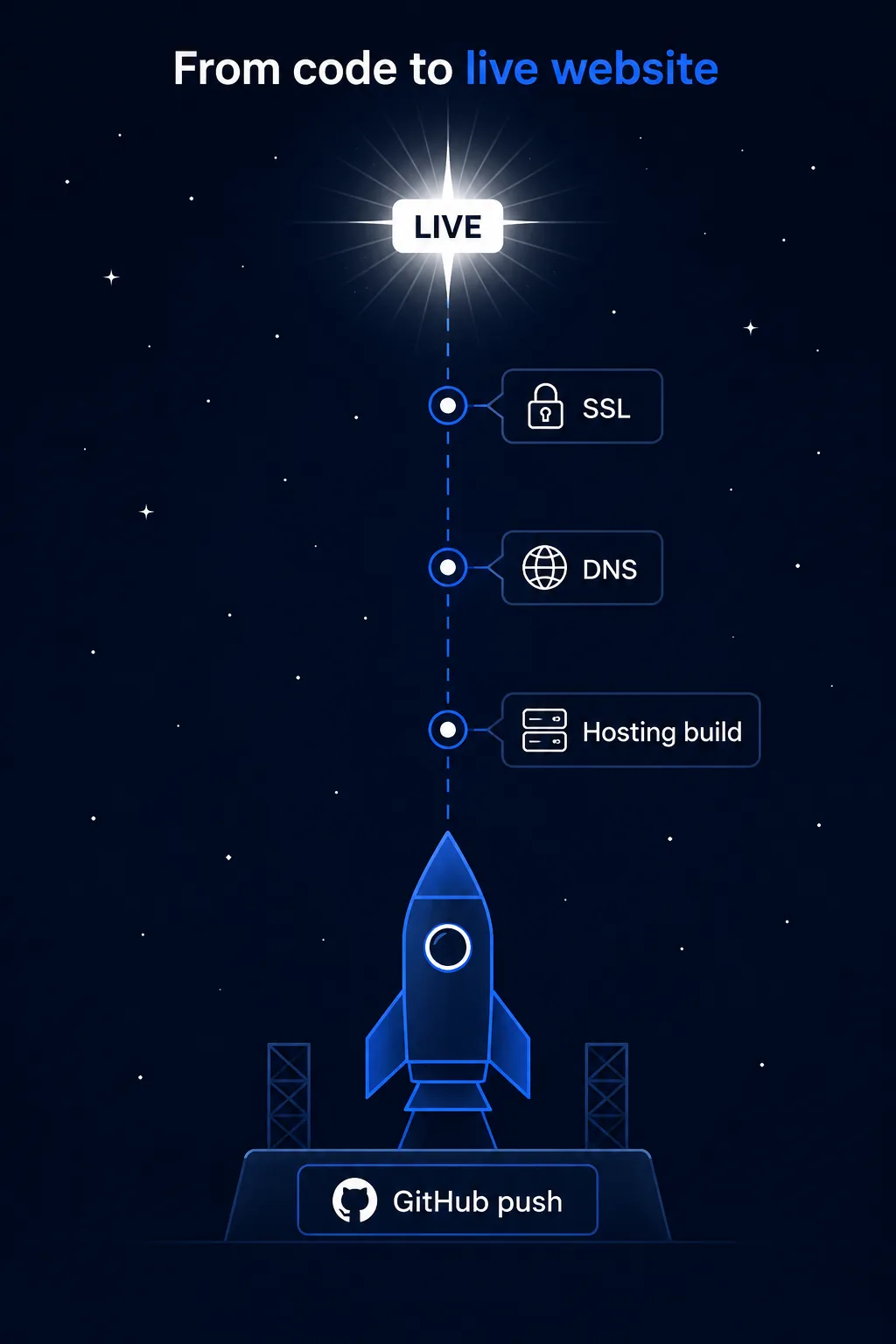
- Code is pushed to GitHub (version control)
- GitHub triggers the connected hosting platform (Vercel, Netlify, Cloudflare Pages)
- Hosting platform builds and deploys the new version automatically
- DNS points the domain at the hosting platform’s servers
- SSL certificate enables HTTPS automatically
- The website is now live, public, and permanently accessible
Common Mistakes
- Registering a domain and configuring DNS at the last minute instead of days in advance of a planned launch.
- Choosing a hosting platform out of habit rather than matching it to the project’s actual technical requirements.
- Assuming local development conditions match the real, live production environment without re-testing after deployment.
- Forgetting to confirm SSL/HTTPS is actually active and working immediately after going live.
Tools to Use
GitHub
Version control and the trigger for most modern automatic deployments.
Cloudflare Pages / Netlify / Vercel
Modern hosting platforms offering fast, automatic deployment from a connected repository.
DNS checker tools
Confirm a domain’s DNS changes have propagated correctly worldwide.
Let's Encrypt / host-provided SSL
Free, automatically-renewing certificates enabling HTTPS on deployment.
Key Takeaways
- Domain, hosting, DNS, and SSL are four separate pieces that must all be correctly connected for a site to go fully live.
- Different hosting platforms (Vercel, Netlify, Cloudflare Pages, Hostinger) suit different technical needs — there’s no single universal best choice.
- Connecting GitHub to a hosting platform allows new code changes to deploy automatically.
- Always re-run key tests (Chapter 16) in the live, production environment, not just locally.
Practical Exercises
- Research and compare two hosting platforms mentioned in this chapter for a specific fictional project (for example, a React-based small business site). Write two or three sentences explaining which you’d choose and why, based on that project’s specific needs.
Want "Deployment" done for you, not just explained?
We build fast, mobile-first websites for South African local businesses — putting everything in this chapter into practice, professionally.