What is a Website?
The mental map everything else gets pinned to.
Before writing a line of code, every builder needs to understand what actually happens when a website appears on a screen — domains, hosting, browsers, servers, and the request-response cycle that ties them all together.
Beginner Explanation
A website is a collection of files — text, images, code, and media — stored somewhere and delivered to a visitor’s browser so it can be displayed as pages. A website is not a single "thing" sitting on your computer; it is a set of instructions that a browser reads and turns into something visual and interactive. A website can be as simple as one HTML file or as complex as thousands of interconnected pages backed by databases and live services.
A domain name (like plimepulse.co.za) is the human-friendly address people type to find a website. Underneath, every website actually lives at a numerical address called an IP address, which is hard for people to remember. Domains are translated into IP addresses behind the scenes by DNS (Domain Name System), which acts like the internet’s phone book. Domains are rented, not owned outright — you pay a registrar annually to keep the rights to a domain name.
Hosting is the service that stores your website’s files on a server and keeps that server running and connected to the internet 24/7, so anyone, anywhere, can request and receive your pages at any time. Without hosting, your website only exists on your own computer, which isn’t reliably online and isn’t built to serve thousands of strangers at once. A browser (Chrome, Safari, Firefox, Edge) is the software that requests, interprets, and displays websites; a server is simply a computer whose job is to "serve" resources on request.
Real Business Examples
A plumber with no website
Relies entirely on word-of-mouth and a Facebook page. Every new customer has to already know the business exists — there’s no way for a stranger searching "plumber near me" to find them.
A plumber with a 3-page site
Owns a domain, has hosting, and now appears when someone searches for emergency plumbing. The site is the always-on employee that never sleeps and never stops answering enquiries.
What happens when a customer types the domain
Browser reads the URL → asks DNS to translate the domain to an IP address → opens a secure (HTTPS) connection to the server → server sends back HTML/CSS/JS → browser renders the finished page, usually within a second or two.
Visual Diagram
The request-response cycle
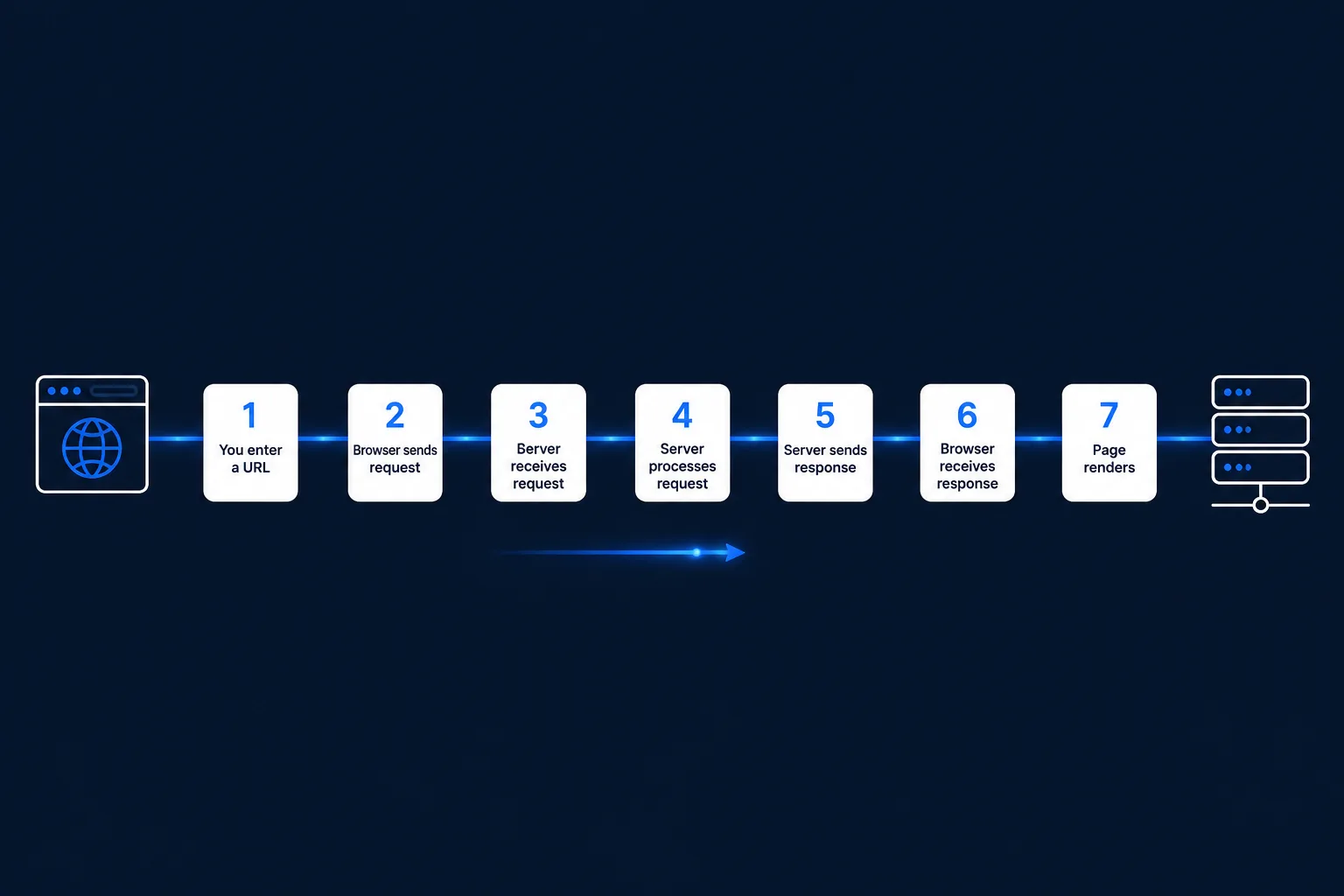
- Browser reads the URL and identifies the domain name
- Browser asks a DNS server to translate the domain into an IP address
- Browser opens a secure (HTTPS) connection to that server
- Browser sends an HTTP request for a specific page
- Server locates or generates the files and sends back a response
- Browser parses HTML, applies CSS, runs JavaScript
- Finished, visual page appears on screen
Common Mistakes
- Confusing a domain with hosting — buying a domain name does not put a website online by itself; you still need somewhere for the files to live.
- Assuming a website "lives" on your own laptop — without hosting, a site isn’t reliably online or built to serve thousands of visitors at once.
- Not testing across multiple browsers — different browsers can render the same code slightly differently.
Tools to Use
Browser DevTools
Right-click any site → Inspect → Network tab, to watch the actual request-response cycle happen live.
Domain registrar
Namecheap, GoDaddy, or similar — where you rent (not own) a domain name annually.
Hosting provider
Where your website’s files actually live and stay connected to the internet 24/7.
DNS checker
A free online tool to confirm a domain is correctly pointing at its hosting server.
Key Takeaways
- A website is a set of files; hosting is the service that stores those files on a server and keeps them accessible online.
- A domain name is a human-friendly stand-in for a numerical IP address, translated by DNS.
- A browser requests, interprets, and displays website code; a server stores and responds to those requests.
- Typing a URL triggers a request-response cycle: DNS lookup → server request → server response → browser rendering.
Practical Exercises
- Open a browser’s developer tools (right-click any website → "Inspect"), go to the Network tab, and reload the page. Watch each request appear — every one is your browser asking a server for a piece of the page.
- Click on the first request in that list and look at the response headers to see the raw conversation between your browser and the server.
Want "What is a Website?" done for you, not just explained?
We build fast, mobile-first websites for South African local businesses — putting everything in this chapter into practice, professionally.