
Backend Basics
Invisible when working correctly — and where serious problems live when it isn’t.
Everything covered so far happens in the browser, on the visitor’s own device — the frontend. The backend is everything that happens elsewhere: on a server, out of the visitor’s sight, handling the logic, storage, and processes a website needs but never directly shows.
Beginner Explanation
Servers, as introduced in Chapter 1, are the computers that run backend code continuously, waiting to respond to incoming requests from the frontend. APIs (Chapter 11) are the structured way a frontend and backend communicate — the frontend sends a request, and the backend responds. Authentication is how a backend verifies who someone is; any website with user accounts, an admin dashboard, or restricted content relies on it, because without it there is no reliable way to know who is actually making a request.
Databases (Chapter 10) are where a backend stores and retrieves information long-term. Emails are frequently triggered by backend logic — a confirmation email after a booking, a notification when a quote form is submitted — almost always through a dedicated email-sending service rather than a website’s own server, which is unreliable and often flagged as spam. Payments are processed through backend integrations with payment gateways like Stripe or PayFast, which securely handle sensitive card data so a website itself never has to store or directly touch it.
Admin dashboards are private, authenticated backend interfaces that let a business owner manage their own website’s content, orders, or messages without touching code. File uploads require backend logic to receive files safely, validate their type and size, and store them somewhere durable. The framework’s example makes the whole chain concrete: when someone submits a quote form, the frontend collects the data, the backend receives it, the database stores it, and an email gets sent to the business owner — all invisible to the visitor, who simply sees a "Thank you" message appear.
Real Business Examples
A quote form, end to end
Frontend collects the data → travels via an API to the server → backend validates and processes it → saved in a database → email service notifies the business owner. The visitor just sees "Thank you."
An admin dashboard for a cleaning company
The owner logs in, sees every quote-form submission from the week, and marks each one as followed up — no code required, all backend authentication behind the scenes.
A booking confirmation email
The moment a customer books, backend logic triggers a dedicated email service (not the site’s own server) to send a reliable confirmation that won’t get flagged as spam.
Visual Diagram
The invisible journey of a form submission
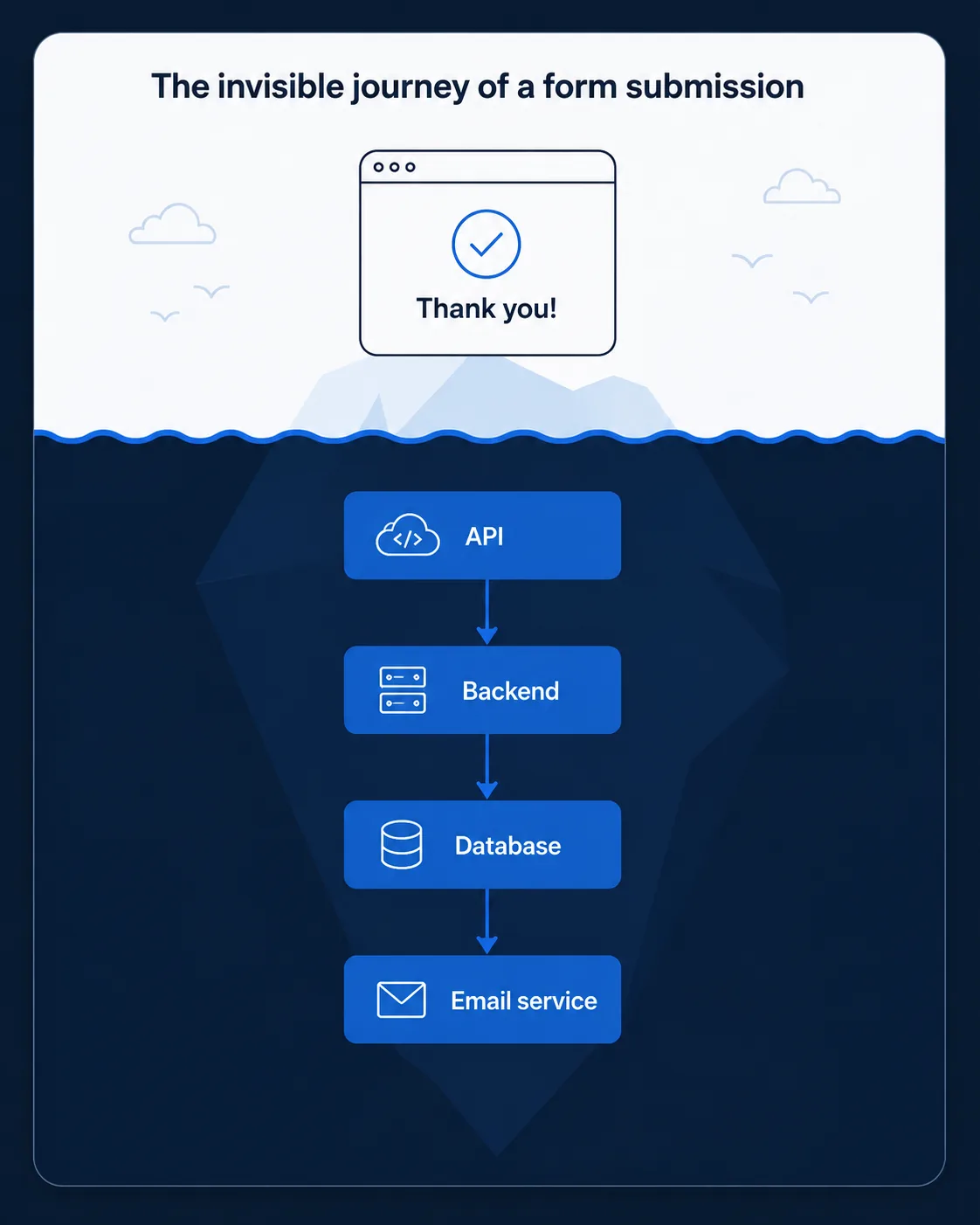
- Frontend — visitor fills in and submits the quote form
- API — the request travels from browser to server
- Backend — validates and processes the submitted data
- Database — the data is saved, permanently
- Email service — a notification is triggered to the business owner
- Visitor sees only: "Thank you — we’ll be in touch."
Common Mistakes
- Sending transactional email directly from a website’s own server instead of a dedicated email-sending service — unreliable and often flagged as spam.
- Storing or directly handling raw card details instead of using a proper payment gateway integration.
- Building an "admin area" with no real authentication, assuming a hidden URL is enough protection.
- Treating the backend as an afterthought — reliability and correctness matter more here than almost anywhere else, since backend mistakes tend to lose real customer data or real money.
Tools to Use
Node.js / a backend framework
Runs the server-side logic that processes requests and talks to a database.
SendGrid / Resend / Postmark
Dedicated, reliable transactional email-sending services.
Stripe / PayFast
Payment gateways that securely handle sensitive card data on a business’s behalf.
Postman
Test API requests and responses directly, without needing a frontend at all.
Key Takeaways
- Frontend runs in the browser and is visible; backend runs on a server and is invisible but essential.
- Authentication verifies identity; without it, there’s no reliable way to restrict access to accounts or admin areas.
- Emails and payments should always go through dedicated third-party services rather than being handled manually by a website’s own server.
- Trace a real action (like a form submission) through the full chain — frontend → API → backend → database → email — to understand how these pieces connect.
Practical Exercises
- Diagram the full backend journey of a "Book Now" button on a fictional site: what happens, in order, from the moment it’s clicked to the moment both the customer and the business owner have confirmation the booking succeeded?
Want "Backend Basics" done for you, not just explained?
We build fast, mobile-first websites for South African local businesses — putting everything in this chapter into practice, professionally.