
React — Components
Websites as systems, not random pages.
Once a site grows past a handful of pages, copying the same navigation bar or pricing card into every file becomes unmanageable. React lets you build a website out of components — small, self-contained, reusable pieces of interface defined once and reused anywhere.
Beginner Explanation
Once a website grows past a handful of pages, copying and pasting the same HTML block — a navigation bar, a pricing card, a testimonial — into every file becomes unmanageable. React solves this by letting you build a website out of components: small, self-contained, reusable pieces of interface that you define once and reuse anywhere, each managing its own structure, style, and behavior together.
Props ("properties") are how data is passed into a component from its parent, similar to arguments passed into a function. A ServiceCard component might accept a title and description prop, so the same component can display completely different content each time it’s used, just with different data plugged in.
State is data that belongs to a component and can change over time — whether a mobile menu is open, what text a user has typed into a field, which tab is currently active. When state changes, React automatically re-renders the affected part of the page. Routing is the system that maps different URLs (/, /about, /services) to different components, allowing a single-page application to feel like it has multiple distinct pages.
The framework’s worked example — a simple, reusable component:
function ServiceCard({ title, description }) {
  return (
    <div>
      <h3>{title}</h3>
      <p>{description}</p>
    </div>
  );
}
This defines a reusable "template": ServiceCard accepts a title and a description as props and renders them inside a heading and paragraph. It can now be used as many times as needed — <ServiceCard title="Plumbing" description="Fast repairs" /> and <ServiceCard title="Drain Cleaning" description="Same-day service" /> — with each instance automatically displaying its own data inside the exact same structure and styling. Change the design of ServiceCard once, and every instance across the entire site updates instantly.
Real Business Examples
One ServiceCard, many services
As in the snippet above, both instances reuse the exact same component — change its design once, and every instance across the site updates instantly.
This very site
This Plime Pulse website is itself built this way — Header, Footer, PricingCard, and SectionHeader are each a single component reused across dozens of pages, which is exactly why the Learning Hub you’re reading right now looks consistent with every other page.
A shared page layout
A Layout component wraps a header, footer, and navigation around whatever page content sits inside it, guaranteeing visual consistency without duplicating that structure in every file.
Visual Diagram
A component tree
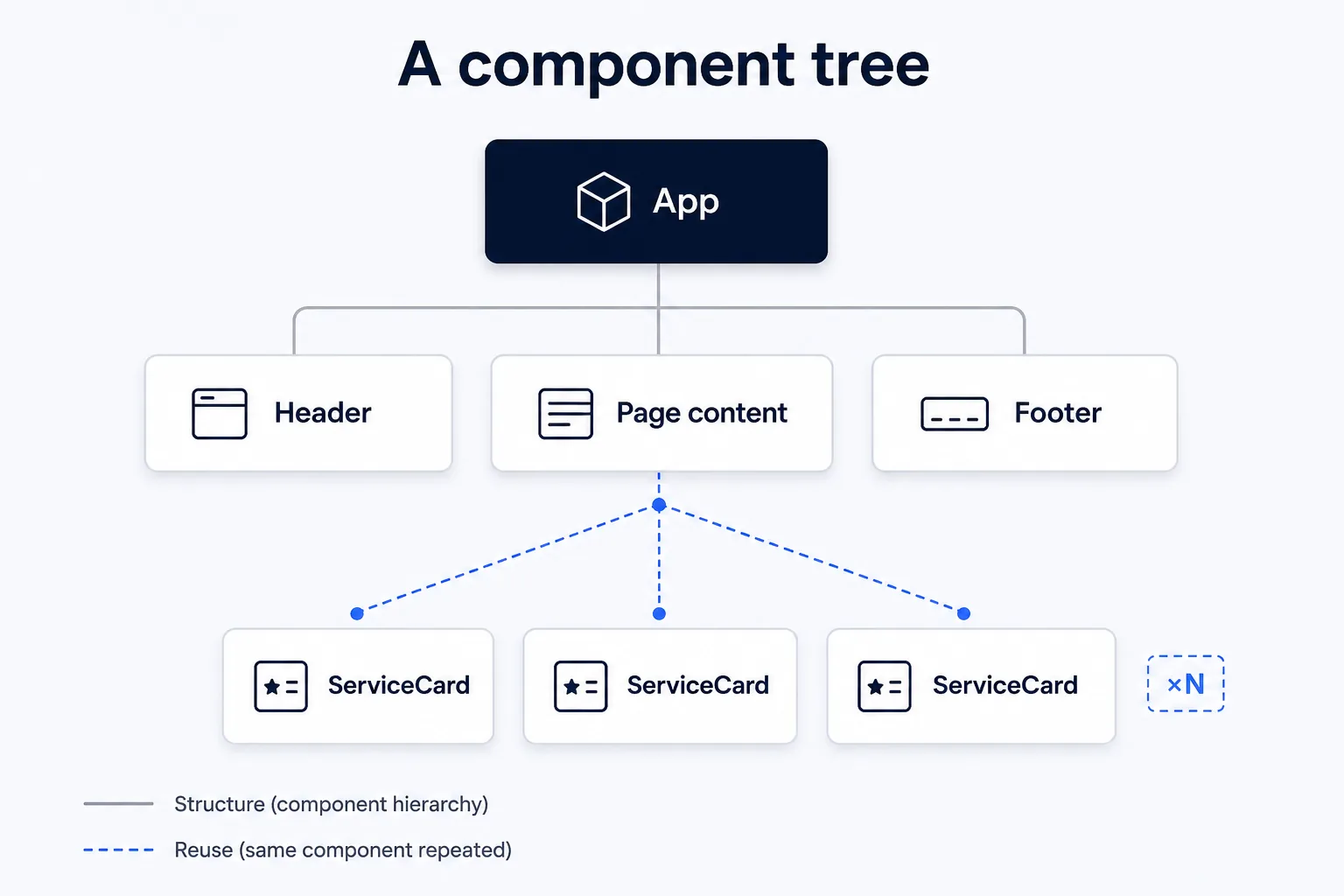
- App
- Header (Logo, NavLinks)
- Page content (varies by route)
- ServiceCard × N (same component, different props each time)
- Footer (Links, Contact info)
Common Mistakes
- Copy-pasting near-identical HTML blocks instead of extracting a reusable component the moment a pattern repeats.
- Mixing up props (data passed in from a parent) with state (data a component manages internally).
- Forgetting conditional rendering for loading and error states — showing nothing (or broken content) while data is still fetching.
Tools to Use
React (or Vue)
The component framework itself — this site uses React with React Router.
Vite
The fast build tool that compiles component-based code for the browser.
React DevTools (browser extension)
Inspect a live component tree, its props, and its state.
Figma / component libraries
Design components visually before building them in code, keeping design and code in sync.
Key Takeaways
- Components are self-contained, reusable pieces of UI that combine structure, style, and behavior.
- Props pass data into a component; state holds data a component manages and can change internally.
- Conditional rendering shows/hides UI based on data or logic, commonly used for loading and error states.
- Routing maps URLs to components, giving multi-page-feeling navigation inside a single application.
Practical Exercises
- Turn a "hero" section into a reusable component that accepts a heading, subtext, and buttonLabel as props.
- Render it twice on the same page with two different sets of content to see the reuse in action.
Want "React — Components" done for you, not just explained?
We build fast, mobile-first websites for South African local businesses — putting everything in this chapter into practice, professionally.